

Make your Salesforce CRM work with your team — not against them.
Confirmed keeps Salesforce accurate without stealing time from selling.
Salespeople stay focused on meetings and follow-ups. Leaders get reliable data they can trust.
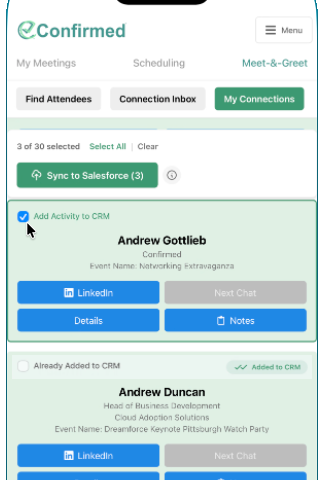
Don’t let valuable event connections disappear after the event.
Events can generate some of your team’s most valuable new relationships — and some of its most difficult activity to capture afterward.
With Confirmed Meet & Greet and Superconnector, users can capture connections and context while they’re networking, then move relevant relationship information into Salesforce.
Capture the connection
Use Meet & Greet to capture who you meet while the interaction is happening.
Preserve the context
Capture useful notes and information while the conversation is still fresh.
Move it into Salesforce
Sync relevant Meet & Greet relationship information into Salesforce instead of recreating it manually later.
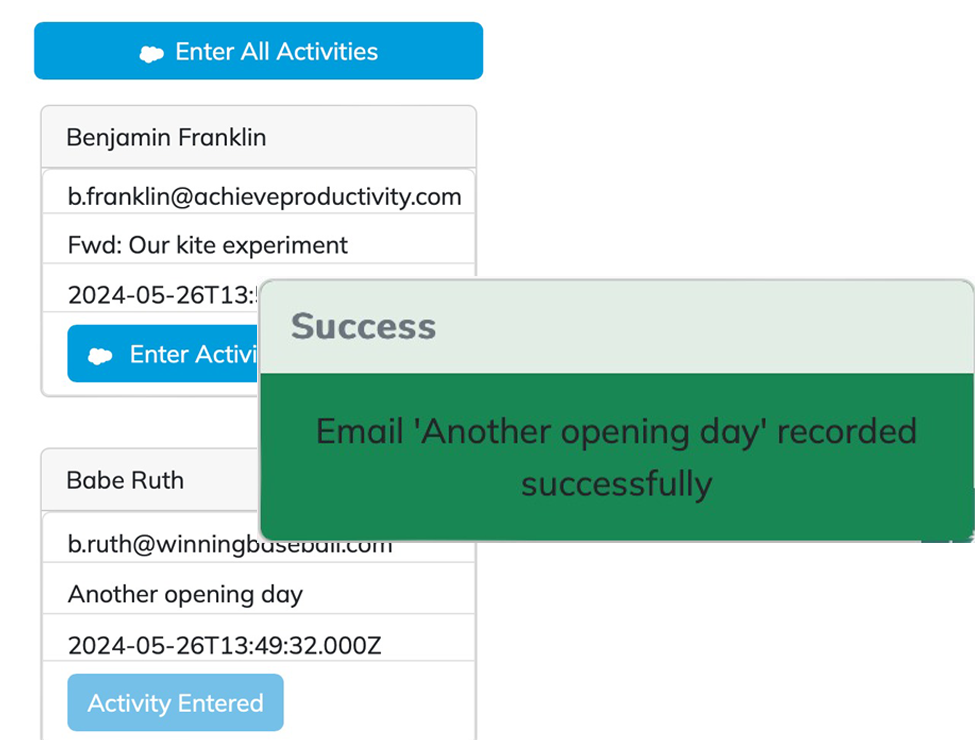
Make email activity easier to capture in Salesforce.
A significant part of relationship-building already happens in Outlook. Recreating that activity in Salesforce creates another administrative step.
With Superconnector Ultra, Confirmed helps move relevant Outlook email activity into Salesforce so professionals can spend less time duplicating work between systems.
Work where conversations happen
Keep relationship workflows closer to the Outlook environment professionals already use.
Reduce repetitive CRM entry
Move relevant email activity into Salesforce without manually recreating the interaction.
Keep activity connected
Help Salesforce better reflect the relationship activity already happening through email.
Get more value from the Salesforce investment you’ve already made.
Your Salesforce investment is only as useful as the information that makes it into the system.
Confirmed helps reduce the friction between the relationship activity happening across your business and the CRM designed to capture it — without asking your people to spend more of their day on manual data entry.
That can mean more useful relationship data for the organization and less administrative friction for the people responsible for creating it.
“Better CRM data shouldn’t require more CRM work.”
Designed to work with the technology you already trust.
Confirmed is a Salesforce ISV Partner and works alongside Microsoft Outlook, helping relationship-driven professionals connect activity across the tools already central to their work.
Salesforce ISV Partner
Built within the Salesforce ecosystem.
Microsoft AppSource
Confirmed’s Outlook add-in is listed in Microsoft AppSource.
Built by people who understand Salesforce.
Confirmed works out of the box for most teams. And if your Salesforce setup is more complex, our team understands the Salesforce stack well enough to help you get more productivity from it — without adding friction for your team.
For teams with more complex Salesforce environments, we’re happy to talk through how Confirmed fits into your existing setup.
Make Salesforce work the way your team actually works.
Your team is already building valuable relationships across meetings, events, and email. Make it easier for the information behind those interactions to reach Salesforce without turning CRM updates into another job.